Gathering Skills & Parties
mcMMO Lite gathering skills, passive perks, parties, and nearby sharing.
Quick start
- Progress Mining, Woodcutting, Herbalism, Excavation, or Fishing while gathering.
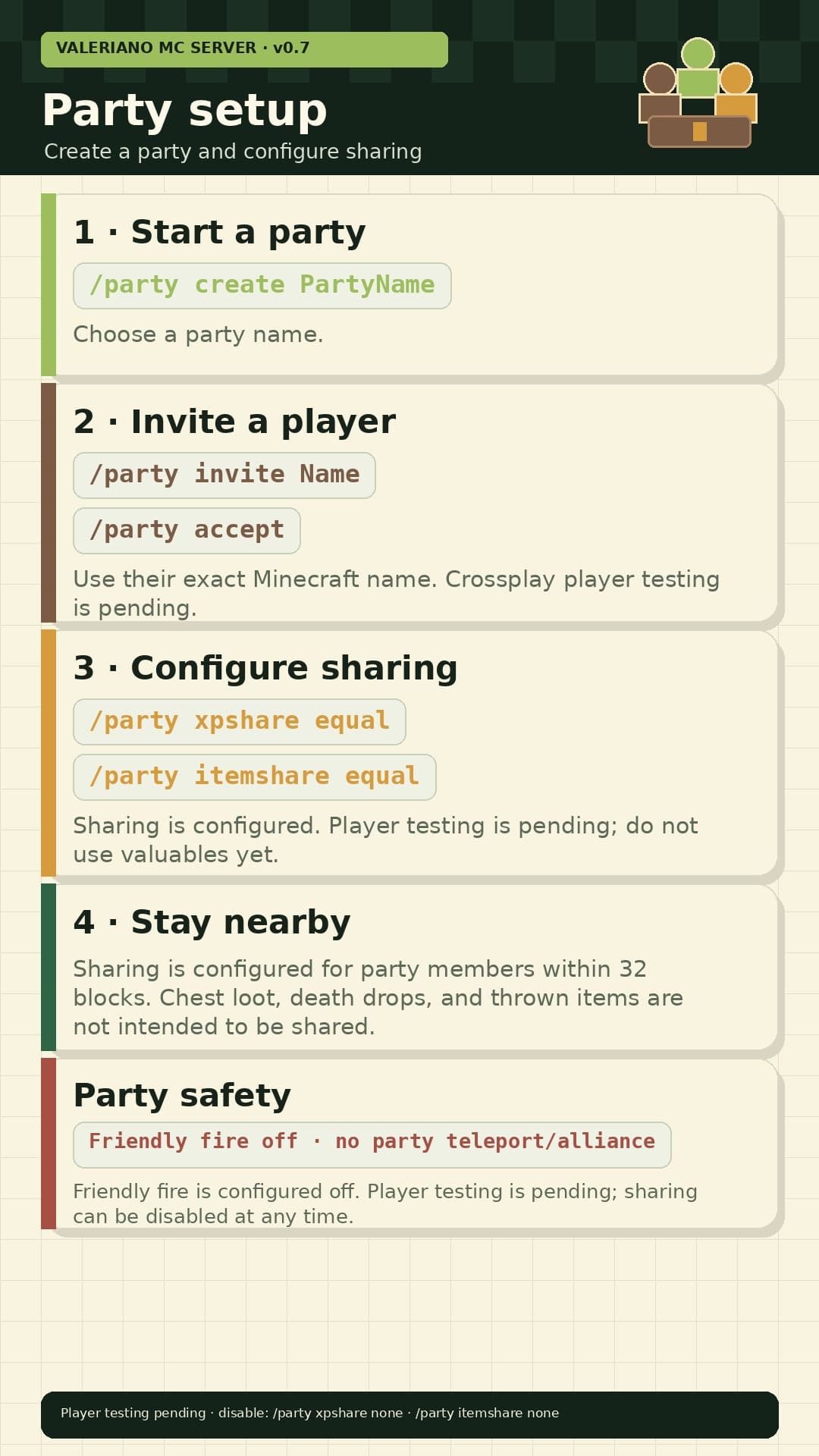
- Create a party with
/party create PartyName. - Invite a player with
/party invite PlayerName; they join with/party accept. - If the whole party agrees, enable sharing with
/party xpshare equaland/party itemshare equal. - Stay within 32 blocks while sharing is enabled.
Verification status
mcMMO Lite is live and its configuration was read back after deployment. Java and Bedrock/mobile player tests for gathering perks, party sharing, friendly fire, and persistence are still pending.
Gathering skills
| Skill | Activity | Maximum level |
|---|---|---|
| Mining | Mine stone and ores. | 50 |
| Woodcutting | Chop trees. | 50 |
| Herbalism | Harvest crops and plants. | 50 |
| Excavation | Dig dirt, sand, gravel, and similar blocks. | 50 |
| Fishing | Fish normally. | 50 |
XP is configured at 70% of standard mcMMO. Combat skills and combat bonuses are disabled in the main survival world.
Passive perks
| Skill | Configured perk | Limit or note |
|---|---|---|
| Mining | Eligible extra drops. | Up to 15% chance at level 50. |
| Woodcutting | Eligible extra wood drops. | Up to 15% chance at level 50. |
| Herbalism | Eligible extra crop or plant drops; crop replant. | Up to 15% chance at level 50. |
| Excavation | Standard mcMMO treasure-table finds. | Player verification pending. |
| Fishing | Shorter bite time. | No special boat bonus or replacement fishing loot. |
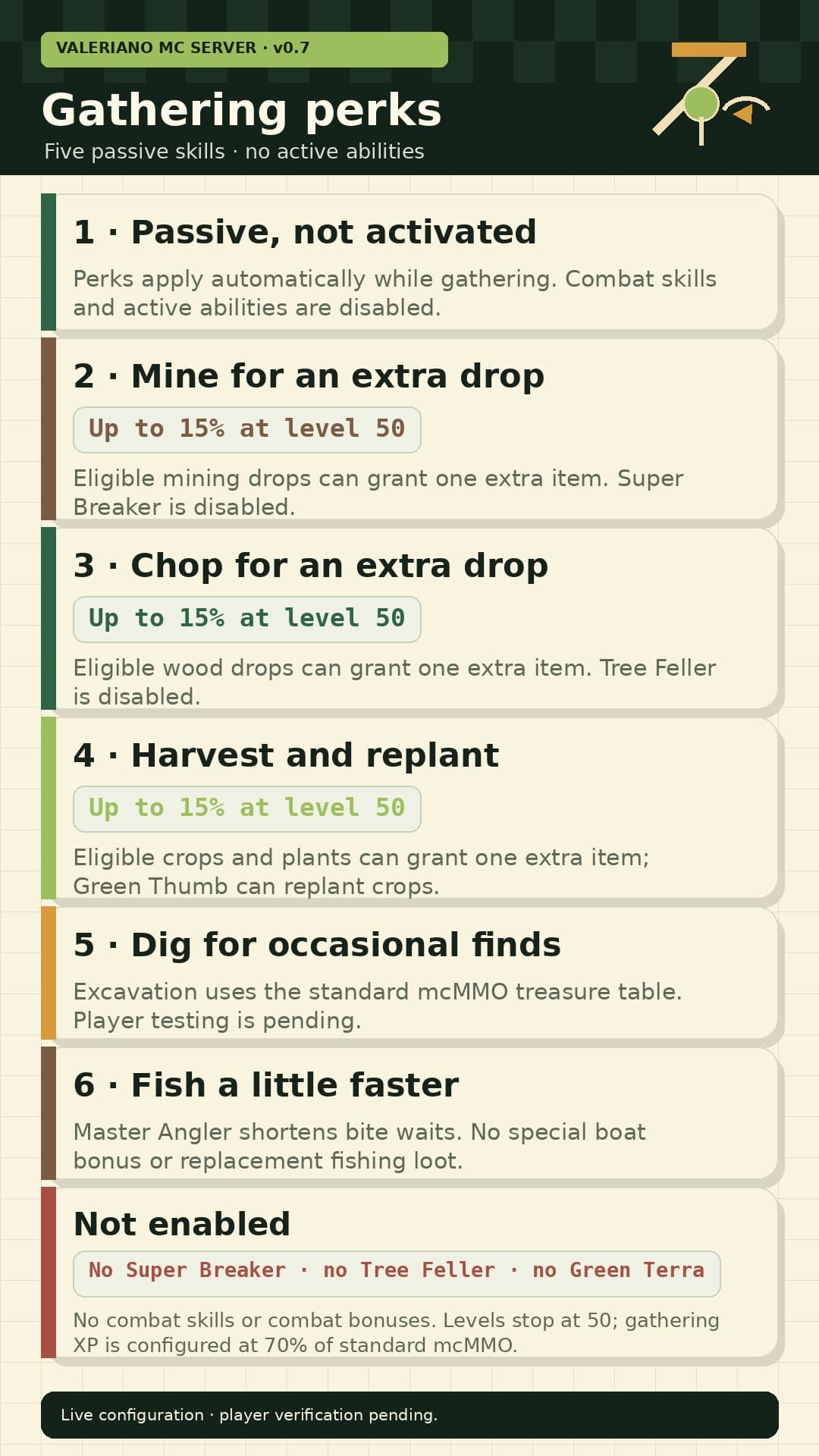
Active abilities, party teleports, party alliances, and extra fishing-loot systems are disabled.
Create and manage a party
| Action | Command | Rule |
|---|---|---|
| Create | /party create PartyName | Choose a party name. |
| Invite | /party invite PlayerName | Use the exact Minecraft name. |
| Accept | /party accept | The invitation must still be active. |
| Leave | /party leave | Leave the current party. |
Parties support up to six players. Bedrock/Floodgate names may begin with a period; copy the exact server-displayed name.
Configure sharing
/party xpshare equal
/party itemshare equal
Sharing is off by default. These commands change the setting for the entire party.
- XP sharing: configured to divide eligible skill XP among nearby party members instead of increasing the total.
- Item sharing: configured to divide eligible nearby drops among party members without copying them.
- Range: party members must be within 32 blocks.
Turn sharing off with:
/party xpshare none
/party itemshare none
Do not use valuable items with item sharing until the first player test confirms the behavior. Chest loot, player-death drops, and manually thrown items are not intended to be party-shared.
Friendly fire
Same-party friendly fire is configured off. This does not protect players from mobs, falls, lava, or other environmental damage. The first in-game confirmation is still pending.
Report a problem
Stop testing if items appear to duplicate or disappear. Send the server owner the party name, players present, edition, command or action, approximate time and location, and whether everyone was within 32 blocks.